I run a Discord server called The Basement, and I am busy enough that it mostly runs itself.
That is a polite way of saying it gets managed in bursts. A channel that should have been archived three weeks ago. A role nobody remembers creating. A new category I keep meaning to set up properly. None of it is hard. All of it is clicking through Discord's settings one menu at a time.
Meanwhile, a lot of the other platforms I deal with are already managed through Claude. I describe what I want, it does the clicking.
Discord was the odd one out. There is no official MCP server for it.
There are community ones, though
A few of them, and some look perfectly fine.
But every one of them works the same way: you give it your bot token. And my bot is not a toy. It has real permissions on a real server with real people in it. Whoever controls the token can delete channels, ban members and post as the bot.
So using a community server means trusting a stranger's code, and every future update of that code, with that token. Reading someone else's entire codebase to feel safe about it would take longer than writing a small one myself.
Trusting other people's code with that kind of access is not really my cup of tea. So I wrote my own.
What it actually is
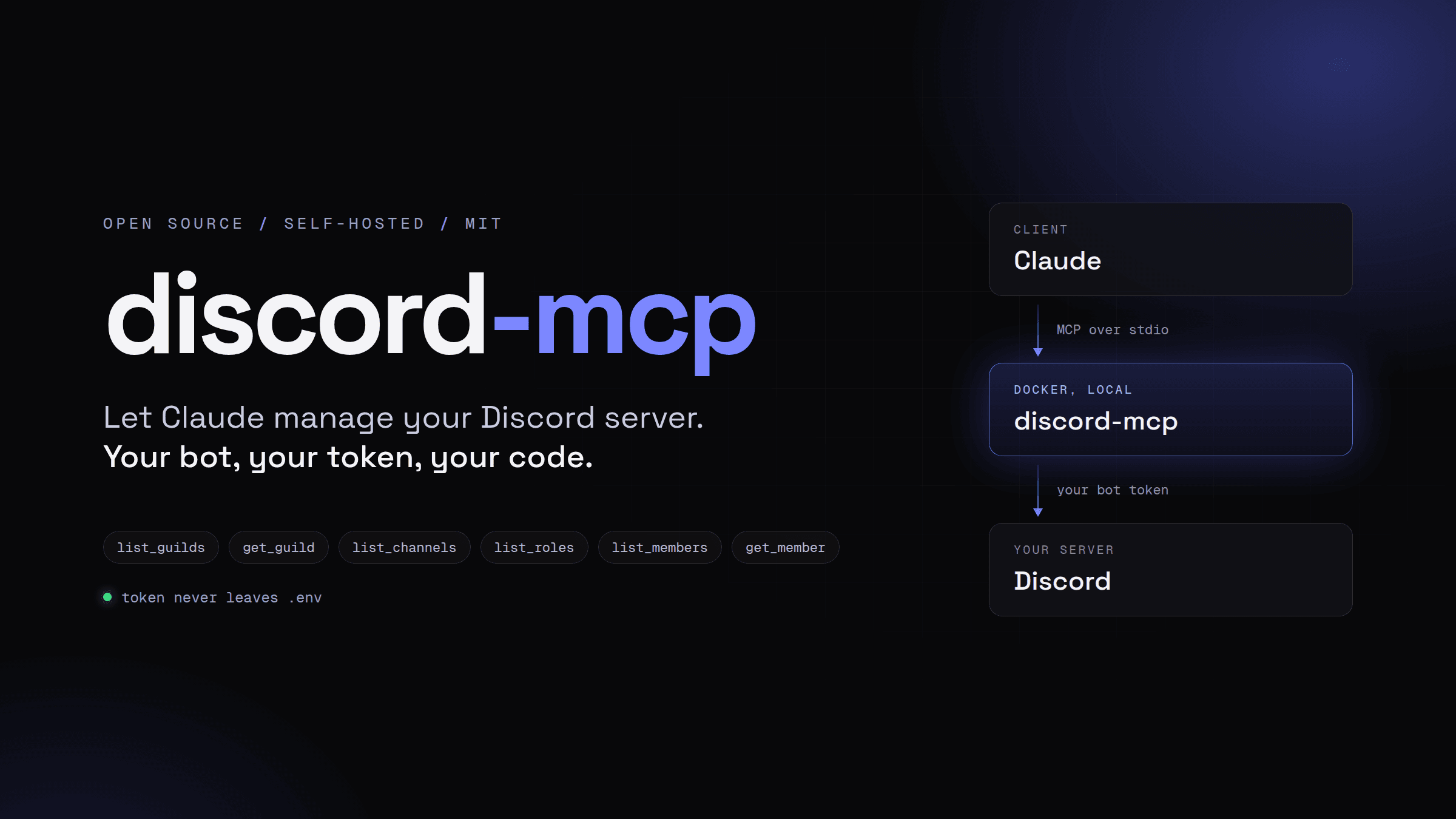
An MCP server that logs into Discord as my bot and exposes tools Claude can call, 64 of them by 1.0. It runs locally in Docker, talks to Discord, and talks to nothing else.
The direction matters, because people assume the opposite. This is not a way to chat with Claude from inside Discord. It is Claude managing the server from my terminal.
The stack is boring on purpose. TypeScript because that is what I write every day. discord.js because it already handles rate limits, caching and the gateway, and I have no interest in rebuilding any of that. The official MCP SDK for the protocol side. Bun, because it runs TypeScript directly and has a test runner built in, which keeps both the project and the Docker image small.
The token gets one home
The whole point of this project is not leaking a token, so where it lives was the first decision, not the last.
Not in my shell config. Not baked into the image. Not pasted into the Claude Code config either. It lives in the project's .env, which is git ignored, docker ignored and chmod 600, and it gets handed to the container only at runtime:
claude mcp add discord -s user -- docker run --rm -i --env-file /path/to/.env ghcr.io/callmegautam/discord-mcp:1The container runs as a non-root user. If the token is missing or wrong, it fails at startup with a clear message instead of half working.
The one rule you cannot break
MCP over stdio has a gotcha that is obvious once you know it and confusing until then.
stdout is the protocol. Every byte Claude reads from the server is supposed to be a protocol message. So a single stray console.log does not print a friendly debug line. It corrupts the stream, and the client just sees garbage.
Which means the project has exactly one way to log, and it writes to stderr. console.log is effectively banned.
Errors got the same kind of thought. Every tool runs through one wrapper that sorts failures into two groups: messages written for the model, like "the bot is in more than one server, pass a guild_id", and raw Discord API errors that bubble up with their code and status. Claude gets something it can act on either way, instead of a stack trace.
Read only, first
Version 0.1 could look but not touch. Servers, channels, roles, members, one member's details. Nothing it could do changed anything.
That was deliberate. Every tool takes an optional guild_id, and if you leave it out it falls back to a default server, or the only server the bot is in. Convenient, and also exactly the kind of convenience that should not exist next to a "delete channel" tool until there are guard rails around it.
Safety before features
So the second version added no Discord features at all. Only the guard rails:
READ_ONLY, which does not even register the write toolsALLOWED_GUILD_IDS, so the bot cannot be pointed at the wrong server by accidentDISABLED_TOOLS, to switch off single tools by name- prechecks that say which permission the bot is missing, or which role is in the way, instead of a raw 403
The part I like most is how read-only mode decides what counts as a write. MCP tools carry annotations like readOnlyHint and destructiveHint, which clients use to decide when to ask before running something. Instead of keeping a second list of "write tools" that would eventually drift, read-only mode just drops every tool not marked read-only.
That only works if the annotations are honest. So startup refuses any tool that does not declare them, and any destructive tool that does not accept a reason for the Discord audit log. Forgetting the safety metadata is not a warning. The server does not start.
Same for config. A typo in DISABLED_TOOLS, or an allowlisted server the bot is not in, stops the server with an error. A safety setting that silently does nothing is worse than a server that refuses to boot.
Then the write tools landed
Channels, then roles, then moderation, then messages, then everything else: threads, forum posts, invites, webhooks, emojis, stickers, scheduled events and server settings. 64 tools by the end.
Most of the interesting decisions came from one question: what would a model get wrong here?
Permissions get merged, not replaced. If edit_role took a full permission list, a model that only mentioned the one permission it wanted to add would quietly wipe every other one. So it takes add_permissions and remove_permissions and leaves the rest alone. Channel overwrites work the same way.
Roles move relative to other roles. Discord role positions count from the bottom, have gaps and shift whenever anything moves. Handing a model a raw number is asking for trouble. move_role takes "above this role" or "below that one" and does the math itself.
Nobody gets pinged by accident. send_message only lets user mentions ping. @everyone, @here and role mentions stay silent unless the call explicitly says otherwise. I would rather not find out what an AI-generated @everyone feels like in a server full of real people.
Secrets stay out of the model's context. A webhook URL contains its token, and anyone holding it can post to that channel. So list_webhooks leaves URLs out entirely, and only create_webhook returns the URL of the webhook it just made.
Files come from https only. discord.js happily accepts a URL for an emoji or icon, but it treats any string that is not http(s) as a local file path. On a server running on my machine, that is not a fun feature. So the tools download the file themselves, with a timeout and Discord's size limits, and pass a buffer.
Testing on a server nobody lives on
Unit tests only get you so far when the whole project is talking to someone else's API.
So for 1.0 I wrote integration tests that start the actual server over stdio and call every write tool through the MCP client, the same path Claude uses. They run against a separate throwaway Discord server, never against The Basement. The harness locks the spawned server to that one server ID and refuses any server with more than 10 members, so a wrong ID cannot hit a real community.
They found two bugs on the first real run.
list_role_members fetched the full member list on every call, which is a gateway request Discord rate limits to roughly once every 30 seconds per server. Call it twice in a row and the second one failed. Now the list is fetched once and kept current by the Server Members intent.
The other was sneakier. get_message kept showing reactions that had already been removed. Discord leaves the reactions field out entirely when a message has none, and discord.js only patches its cached copy with fields that are present. So the removed reactions just stayed. Even asking it not to use the cache did not help, because it clones the cached copy anyway. The fix is deleting the message from the cache before fetching it.
Neither of those would have shown up in a unit test with a mocked client. That is the whole argument for this kind of test.
Where it is now
1.0 is out. The image is published to GitHub Container Registry for amd64 and arm64, there is a tool reference generated straight from the tool schemas (a test fails if it goes stale), and my own Claude Code setup runs the published image instead of a local build.
It is not perfectly covered. Kicking, banning and timing out a real member needs a second account I have not set up, and announcement channels, stage channels and voice events need a Community server. Those are covered by unit tests only, for now.
There is no roadmap after 1.0, just a list of ideas: a server snapshot as an MCP resource so Claude can read the layout without a dozen tool calls, a permission audit that flags risky setups, and applying a whole server layout from one JSON file.
Built for one server, open for everyone
I built this for The Basement. But nothing in it is specific to my server, and nothing secret lives in the repo, since the token stays in the ignored .env.
So it went public under MIT on day one instead of "once it is ready". If you run a Discord server and feel the same way about handing your bot token to someone else's code, the code is all there to read before you trust it with yours. That was kind of the point.