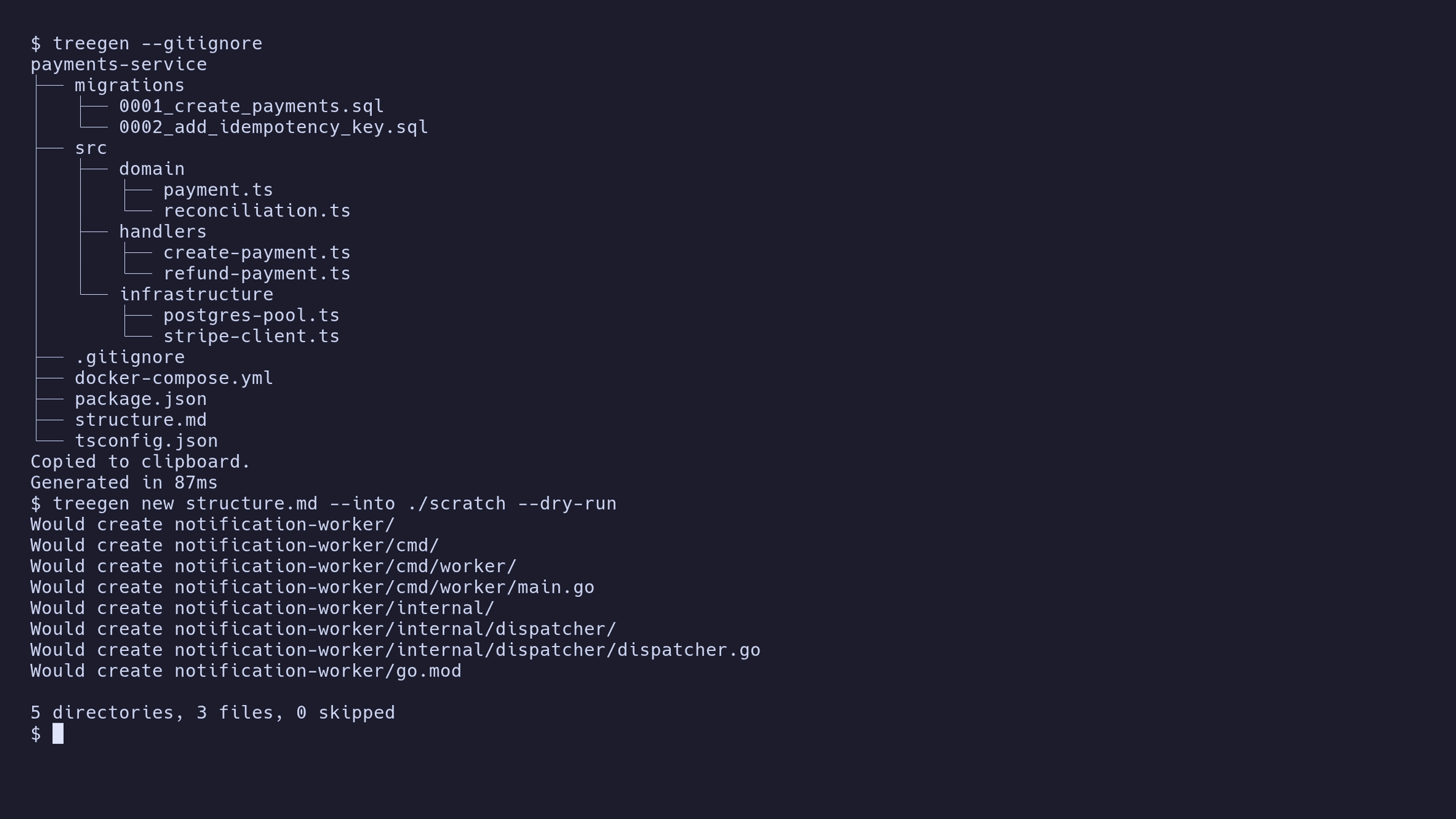
I write a lot of READMEs, and every one of them wants a folder tree in it.
There are existing ways to print one. They are fine. But the output is never quite what I want in a document: it includes every dependency folder unless I remember to say otherwise, the ordering wanders between runs, and it lands in my terminal rather than my clipboard — so there is always one last step of selecting text with a mouse like an animal.
So: run one command, get a clean tree, already copied.
treegenThat was the entire scope. A weekend in Go.
The scope held for about two weeks
What broke it was noticing I was doing the opposite thing constantly, by hand.
You read a blog post, or a README, or you ask an LLM how to lay out a project, and you get back a beautiful folder tree. Then you sit there making the folders one at a time, typing names you can see on the screen but cannot use.
The format was already there. The other direction was just missing.
treegen new structure.mdPaste a tree into a file, point Treegen at it, get real directories. It also reads the plainer style of tree you find scattered across the internet, and it does not care if you left the code fences or trailing comments in when you copied it. Cleaning that up by hand is exactly the kind of chore the tool exists to remove.
You can also pipe one straight in from your clipboard:
pbpaste | treegen new -Turning a tree from a chat window into actual folders is something I now do most weeks, and I only found it because I had already built the half that prints them.
It is careful about your files
This is a tool that creates things in whatever directory you happen to be standing in, so it does not get to be casual.
It will not overwrite anything you already have unless you explicitly tell it to. And you can always ask what it would do first:
treegen new structure.md --into ./scratch --dry-runThat prints the plan and touches nothing.
Small things I care about more than I should
It skips the noise by default — version control folders, dependencies, editor settings — and you can add your own. You can also just tell it to ignore whatever your repo already ignores, which is usually the answer you actually wanted.
A folder it cannot read does not kill the run. It gets marked in the output and the rest continues. Losing an entire tree because one directory had awkward permissions would be a ridiculous way to fail.
No clipboard is not an error. Over ssh, in CI, on a headless box: it prints the tree, mentions it could not copy, and exits successfully. "I could not reach a clipboard that does not exist" is not a failure of the thing you asked for.
It can produce JSON or YAML from the same walk, for when something else needs to read the structure rather than a human.
It configures itself once per repo if you want, so a project with an awkward layout stops needing flags every time.
Getting it
One download, nothing else to install:
curl -fsSL https://gautamsuthar.in/projects/treegen/install | shirm https://gautamsuthar.in/projects/treegen/install | iexThat link is served by this site, and it hands back the right script depending on what asked for it.
I am aware of what curl | sh is. That is why the same script is also served as plain text at /projects/treegen/install.sh, so you can read the thing before you run it.
Where it ended up
It started as "stop typing folder structures by hand into READMEs" and became "move folder structures between your disk and a document, in either direction".
The second half is the one I did not plan and now use more.
Which is my favourite kind of scope creep — not a feature I talked myself into, but one that was already sitting there in the format, waiting for me to notice it could be read as well as written.